The vegetable garden planner built on your local frost dates.
Sketch a bed, drop in your crops, and GardenDraft builds the calendar from the NOAA station nearest your ZIP code. The card tells you which one, so you can look up the same record we did.
No credit card to start. Unlimited gardens and beds are $4.99 a month or $29.99 a year.
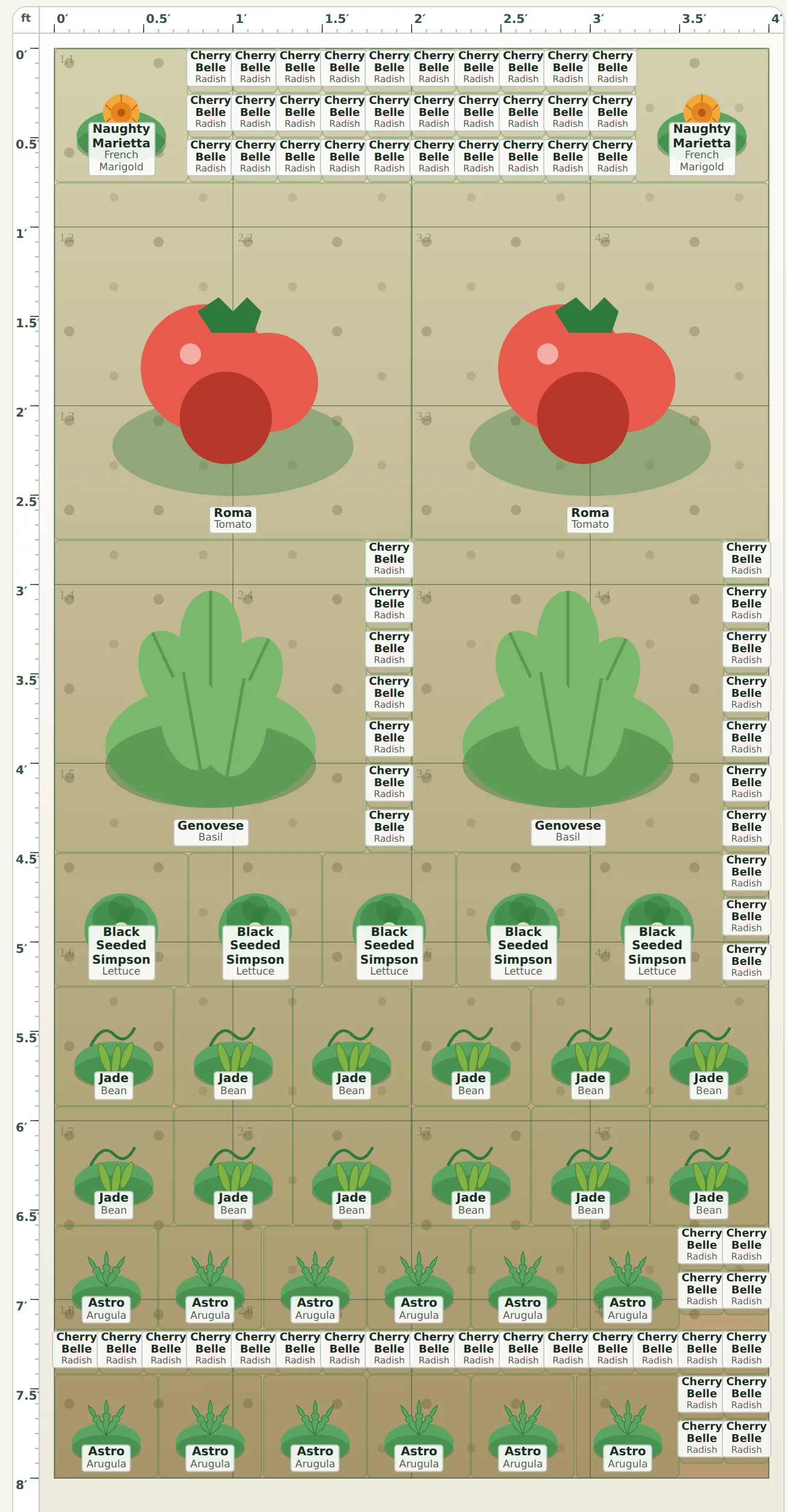
From bed sketch to planting calendar.
Sketch a bed
Draw a raised bed, in-ground row, or container at its real size, or start from a starter bed with the plants already placed.
Add your crops
Pick a plant and tap the bed. Spacing, snap-to-grid, and companion hints show up while you work, so crowding is visible before you buy seedlings.
Add your ZIP for dates
GardenDraft finds the NOAA station nearest you and puts every planting on one season timeline with its dates worked out. Turn on reminders and you get an email before a window closes.
Built on your local frost record.
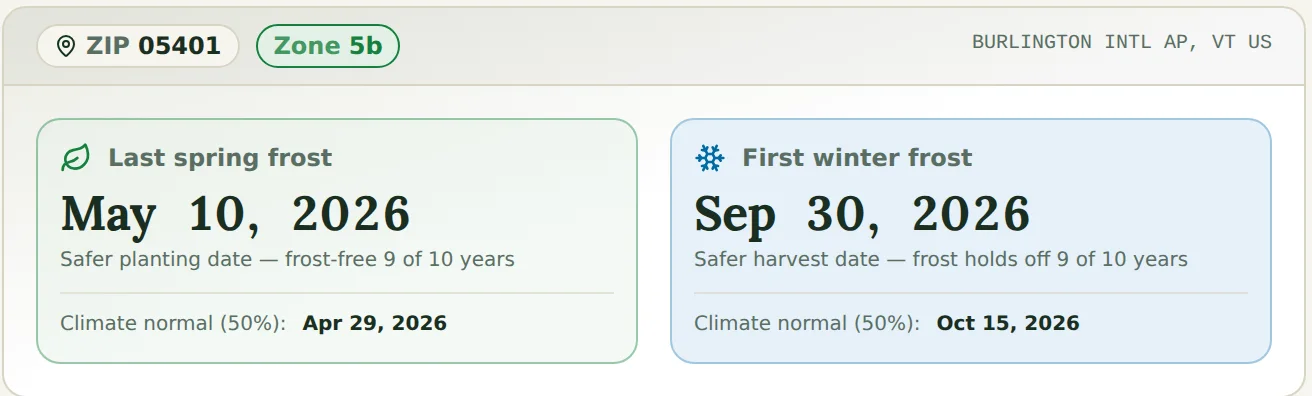
USDA zones tell you what survives winter, but they are a blunt tool for spring timing. The bigger problem is that most calendars hand you a 50/50 date, the day frost is as likely as not. GardenDraft leads with the date that has been frost-free nine years in ten and puts the 50/50 normal beside it, so you can decide how much risk your seedlings are worth.
- The station has a name. For ZIP 05401 it’s Burlington Intl AP in Vermont, and the card says so.
- Dates come from the NOAA 1991–2020 climate normals, the current thirty-year set. The previous set, 1981–2010, is a decade further from the climate you are planting in now.
- If your yard runs colder than the station, set your own dates and the calendar follows. The last frost date guide covers the method.
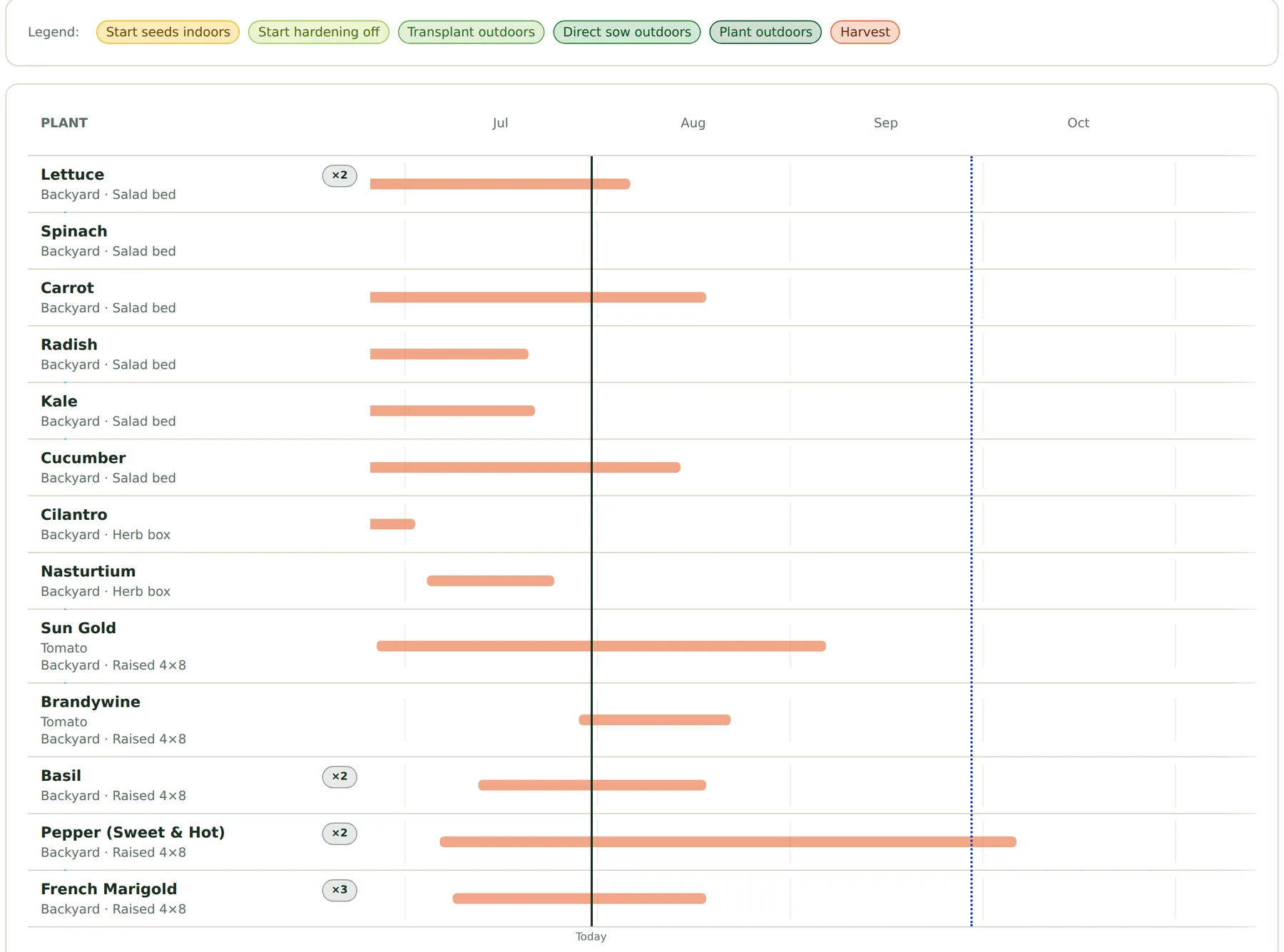
Every planting on one timeline.
Each planting gets a bar from first sowing to last harvest: start seeds indoors, toughen seedlings outside for a week or two, plant out, then pick. Repeat sowings show as extra rows, and the planner warns you when a late round won’t ripen before the first fall frost.
- Set a crop to re-sow every couple of weeks and see which rounds still fit the season.
- A weekly task list covers sowing, hardening off, transplanting, and harvest, with optional email reminders.
- Any garden can be exported as a calendar feed or a printable PDF garden book.
A plant database that cites its sources.
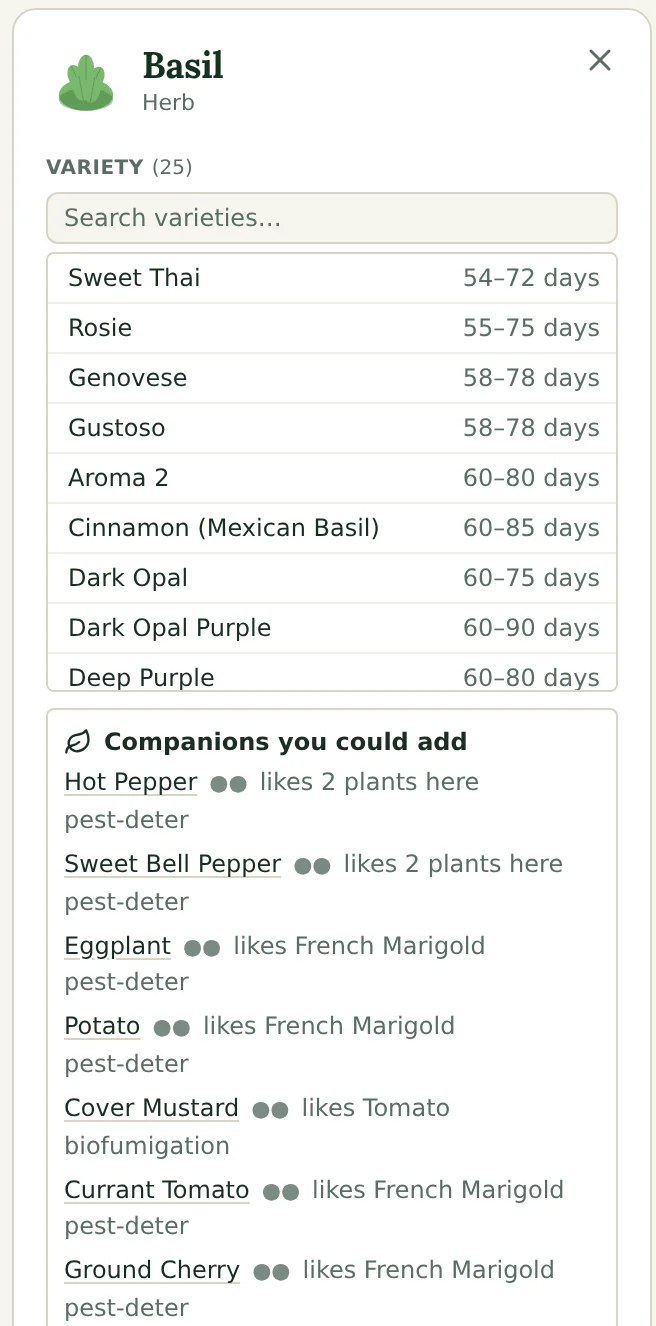
Click a plant on the canvas and the inspector opens beside it. Varieties are listed with days-to-maturity ranges from named seed vendors, so an “early” tomato comes with an actual number. Companion suggestions state the reason for the pairing, like keeping pests away or cutting down disease in the soil, and each one names the sources it rests on: Cornell, UC IPM, Oregon State, Penn State, and 42 others.
Each pairing also carries how strong that evidence actually is, so a replicated field trial and a piece of traditional practice nobody has retested do not look the same in the inspector.
The catalog covers nearly 700 plants and more than 2,800 named varieties, each with spacing, sun, and zone ranges checked against your own zone.
The full library is free to browse without an account: explore the plant library.
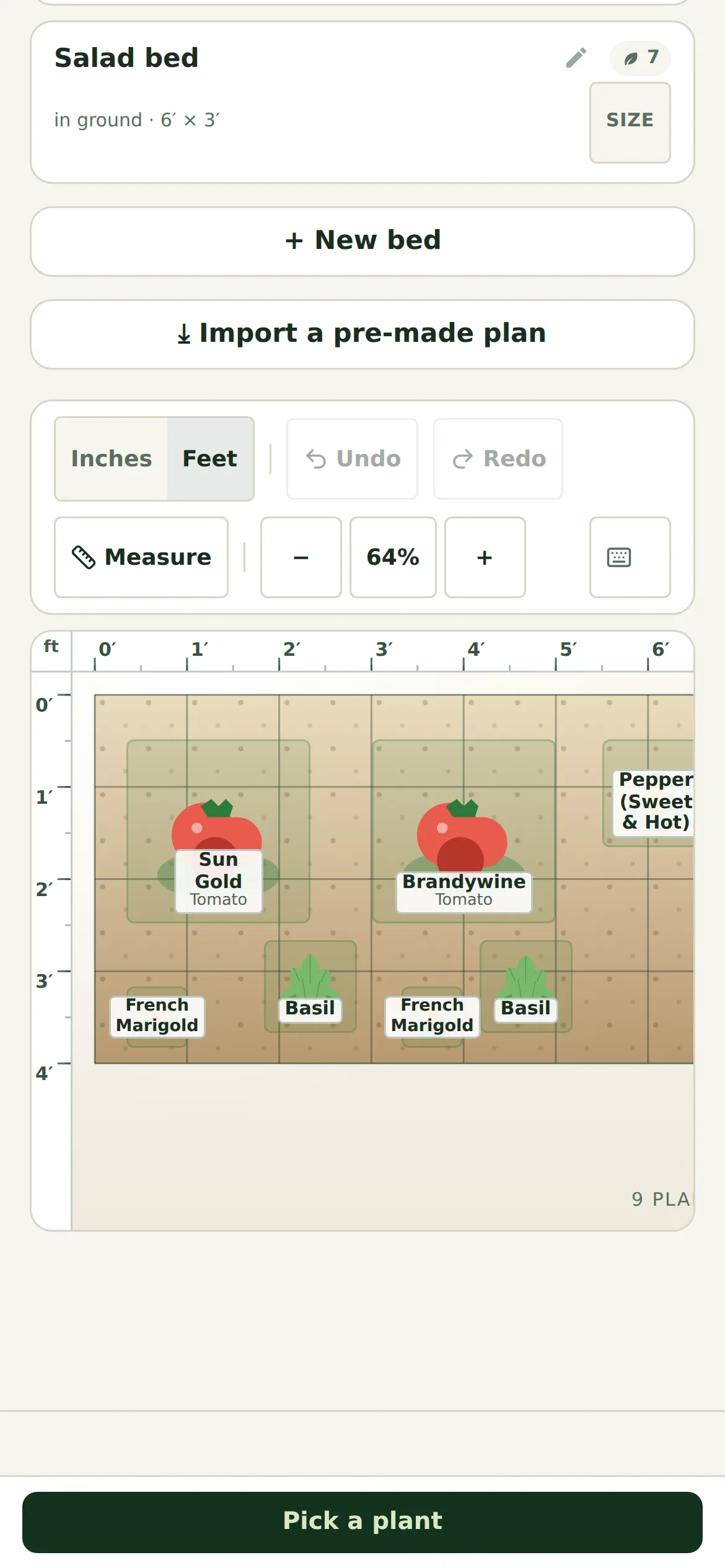
A layout editor that works with your thumb.
The editor was drawn for touch from the start, so planning from a phone in the garden works as well as planning from a desk. Pinch to zoom, drag to pan, snap plants to the grid, and pick plants from a bar sized for one hand.
- Plants snap to whole inches over 12” square-foot gridlines. Spacing uses each plant’s real footprint.
- Undo or redo your last plant change, and deleting a bed always asks first.
- At a desk you get marquee select, ⌘/Ctrl-scroll zoom, and arrow-key nudges in 1” steps.
Walk the bed before you dig it.
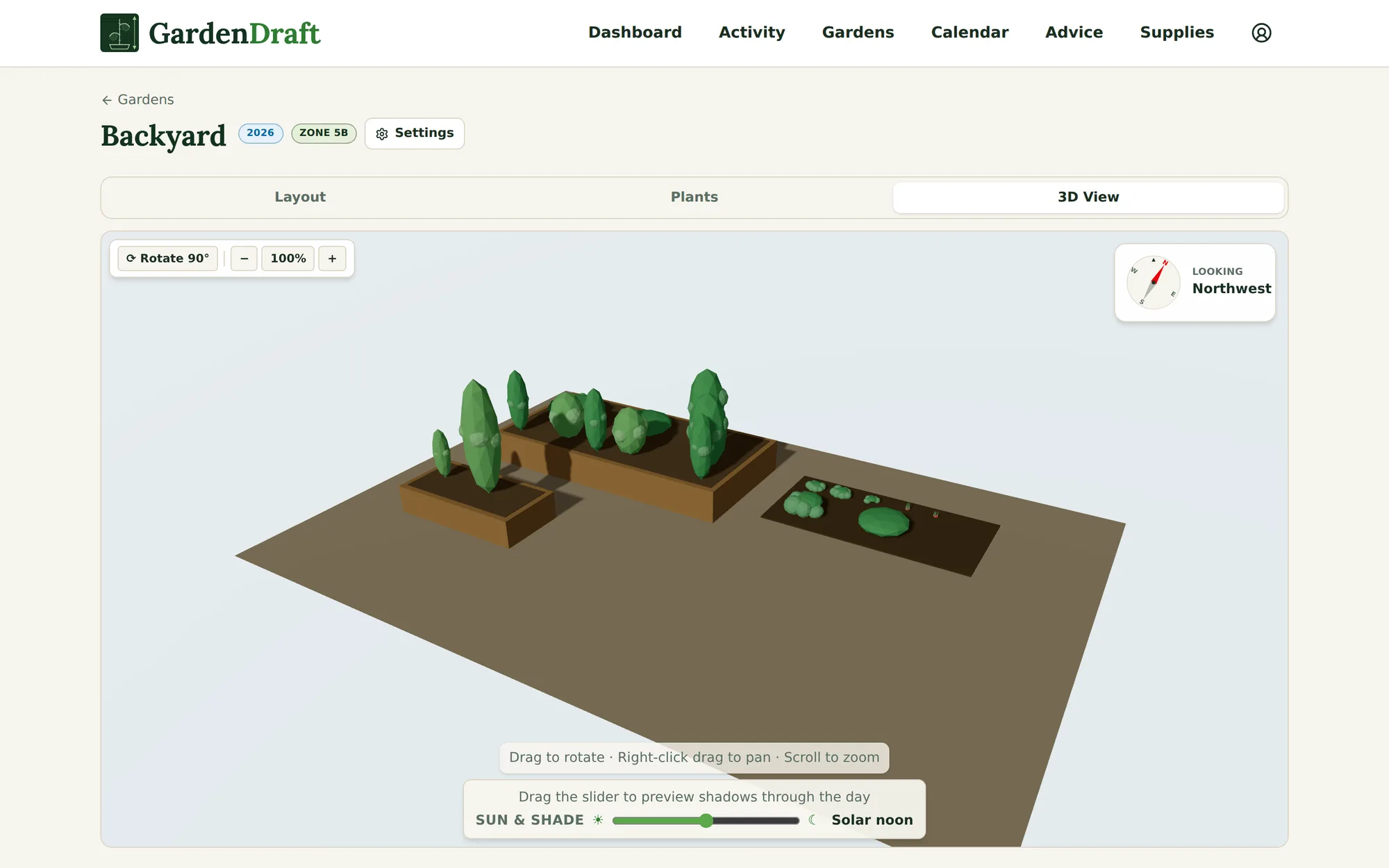
The same plan, one tab over. Beds rise to their real height and plants grow to their listed spread, which makes it easy to spot a tomato row that would shade out the herb box. Drag the sun slider to preview how shadows fall through the day.
- Drag to rotate, scroll to zoom, right-click to pan. On a tablet, pinch to zoom and drag with two fingers to pan.
- The compass stays in the corner, so the view matches how your yard actually sits.
The free garden is the whole product.
Plenty of planners put the useful parts behind a subscription, and few of them will tell you what becomes of your plans if you stop paying. GardenDraft says it plainly. The free tier is capped on size rather than features, and cancelling never takes your work away.
Every feature on the free garden
No credit card and no trial countdown. Your first garden, up to 3 beds, runs the full toolkit: frost-aware dates, the 3D view, companion hints, succession, reminders, the journal, and PDF exports. Grower lifts the cap to unlimited gardens and beds, and that is all it does.
Cancel without losing your work
Cancel Grower and your account goes back to Free. Everything you made stays, and you can keep editing it. Adding gardens or beds past the free limits (1 garden, 3 beds per garden) needs Grower again.
Your records stay yours
The Garden Book PDF and calendar feeds keep working after you cancel. Years of garden notes shouldn't sit locked behind a renewal.
See how that compares with trial-only and subscription-gated planners on the planner comparison.
A free plant library, planting calendars, and growing guides.
Open to everyone, no account needed. There is also a walkthrough of the free garden planner and a month-by-month guide to what to plant now.
Built from years of garden notes.
GardenDraft comes out of a lot of lost seedlings, forgotten back beds, and seasons that proved a pretty layout is useless if it ignores timing. The app is opinionated about dates and spacing, and it assumes you know your own yard better than a weather station does.
Sketch your first bed today.
Draw a bed, drop in a few plants, and you’ll have a planting calendar for your ZIP code before you close the tab.
One garden stays free. Grower is $4.99 a month or $29.99 a year, and you can cancel whenever you like.
Want the planting windows for your ZIP code? Enter it here and we will show your frost dates and a month by month calendar, no sign in needed.